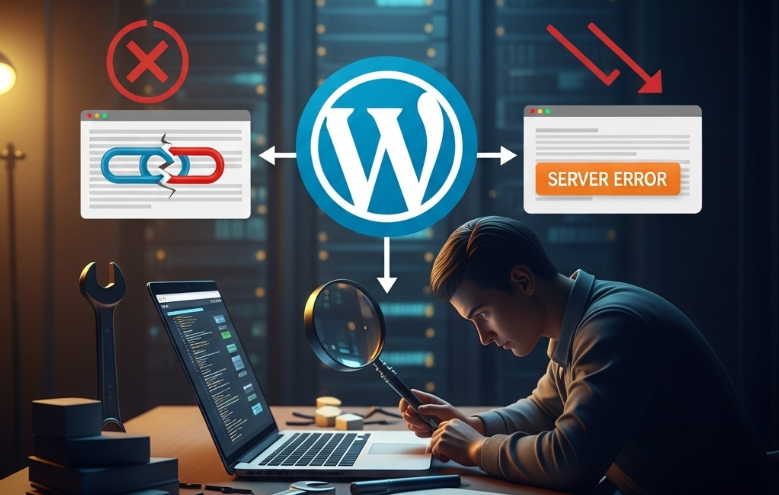
Working hard on something significant up to a given point, only for it to crash out instantaneously, is frustrating. This is the same with your website.
For as long as your website is online, it has to be safe. Once in a while, terrible things like computers stop working or other people try to harm your site intentionally.
In case this happens, you can lose all your images, writing, and hours of effort.
This is why it is great to have a copy, called a backup. The backup is similar to extra Lego pieces, which means that if everything breaks apart, one can always rebuild the castle.
This write-up unveils the significance of backup to a WordPress website. “Hosting” is referred to as a special place on the internet that will secure your website.
They have a thing called “automatic backups” on them. This implies that they make copies of your website themselves, so you do not need to worry about reminding yourself.
We will be recommending to you the WordPress hosting that provides automatic backups already installed on their services.
With that, you can be assured that you will never encounter important files missing.
Olitt.com will be a great point of reference for you when searching for WordPress hosting with automatic backups.
WordPress Hosting with Automatic Backups
Look at your WordPress site in the light of your best-beloved toy vehicle. The automobile is pretty special in your life, and you play with it every day.
However, if it gets inadvertently damaged or rolls over and disappears somewhere, you will become quite upset.
Just like a treasured plaything, your website carries your photos, tales, and everything else that you think is worth sharing with the world.
If anything unfortunate happens, for example, your computer crashes, or you have been hacked, and your website gets messed up.
Consequently, the entire effort you have put into it may be destroyed. It is called ‘data loss’.
That’s what ‘automatic backups’ are for, and they are worth it. Think of automatic backups as a magical machine that creates a replica of your toy car every day without you lifting a finger.
That means you could always have a brand new copy to play with, in case you lose or break your original one.
With WordPress, the significance of automatic backups is that a copy of each and every file, image, and word from anywhere on your website is made constantly, like once a day or once a week. This duplicate is stored at a safe location.
What makes it so good? There is the “peace of mind.” It implies that you need not be anxious when it comes to your website getting lost because you always have a fresh copy.
It is also a way for you to “easily restore” your website. In as few as minutes, you can find your toy car again just the way it was. It also allows you to avoid “downtime.”
Downtime here basically means that your website is not working, and no one can see it.
With an automatic backup, your website can be back online in no time for people to enjoy it.
Some other hosting companies also offer important security features like SSL, which is much like a security lock for your website.
It also provides DDoS protection, which helps to stop bad guys from overwhelming your website with a lot of traffic.
Therefore, when you opt for WordPress hosting with automatic backups, you are opting to keep your website safe, just as you would protect your most loved toy.
What to Look for in WordPress Hosting with Automatic Backups
Choosing the best WordPress hosting provider with automatic backups is like deciding on a guard for your website.
This is because every guard has different abilities, and you would like to get the one that can protect your website from harm. There are a few very important things to look for.
Let us consider the “frequency and scheduling” first. Frequency and scheduling refer to how often the copies of your website are made. Is it every day?
Alternatively, can it be done after a couple of hours? Some hosting companies can rapidly replicate them, and this is useful when there are impending problems.
It is like taking a bite every hour into your toy car so you get its new appearance.
You don’t have to worry about the automatic backup system, which operates in the background.
The other consideration is “storage options.” Where are copies of your site stored?
It’s very good when the copies are stored in some other place than the website itself.
Just as when you preserve your toy car’s duplicates in another room, so if one room has an issue, the copies still exist.
Some hosting companies store their copies in the “cloud,” which is just another name for large, safe computers on the internet. Others could store them “offsite”, implying at a different place.
Look out and go for “one-click restore” and “easy recovery process”. This is truly a must!
You would want to re-launch your site as soon as possible in the easiest and fastest way, in case it has a problem.
A one-click restore for your website is like having a magical button that replaces your broken toy car with a perfect new one.
This must be simple to use, as not everyone is tech-savvy. In some cases, you can just upload the backup file and your site is restored.
Fourthly, think about “security features.” Alongside backups, qualityful WordPress hosting will also offer automatic backups and other website protection measures.
Such can include things like giving SSL certificates for a safe website and how to prevent such people who are learning your site as if your toy race car has more locks and alarms to keep it safe from harm.
Anyway, lastly, contemplate “performance factors.” It is about the speed at which your website works.
Nevertheless, apart from doing backup you want your website to be loaded as fast as possible by whoever visits to check on it.
Something like “SSD storage” (a type of computer memory that works lightning fast) and “CDN” (it helps to quickly deliver the content of your website to people all over the world) increases a sense of speed in your site.
These key elements will help you choose your WordPress hosting with automatic backups so it can safeguard your website in the best possible way.
Top 7 WordPress Hosting Providers with Automatic Backups in 2025
When choosing a WordPress site host, it’s important to select one that automatically does backups for you.
Picture finding a perfect home for your favorite pet. You would like a home that is safe, cozy, and convenient enough for your pet.
You’d want a WordPress host with automated backup of your site to ensure its safety and availability.
Some of the best sites offering hosting with this feature are listed below:
1. Bluehost

If you are starting out as a beginner, a small business or a blogger, this hosting company remains a good option.
They make sure to back up your website every single day automatically, and it is easy to get your site back up if something goes wrong.
They also have pretty good security system so that bad guys are kept off.
2. Kinsta

If you have a very busy website, like a big store online, Kinsta is a very strong choice.
They offer daily backups and even let you try out changes to your website in a special “staging” area before they go live. Their security with a hardened castle.
3. SiteGround

People building websites as well as small businesses often use SiteGround.
Besides, they carry out daily backups as well. Moreover, they offer smart security with AI technology that quickly detects any security issues.
This one is mostly for developers and those who know the basics of hosting a website.
4. Cloudways

Cloudways provides you with immediate backups as well as allows you to select between different computer plans for cloud hosting.
In addition, they have excellent firewalls that stop any wrongdoing.
When you have a big enterprise or a site with many visitors, WP Engine is what you need.
This hosting company guarantees automatic backups and will alert you in cases of security problems.
5. InMotion Hosting

If you are a new company or a growing website, InMotion Hosting could be the best choice for you.
They offer automated backups and use the fastest types of computer components (NVMe SSD) for your site’s performance optimization.
Additionally, they protect against unwanted traffic from dangerous sources.
6. A2 Hosting

In case the website’s speed is very vital to you, then, A2 Hosting is what you are looking for.
Its additional offerings include daily backups and high-end firewalls that prevent any unauthorized access to your domain.
7. Olitt WordPress Hosting

Besides, the article makes a special mention of Olitt WordPress hosting. As a start, if you are a marketer or a business person, Olitts is an excellent target.
This platform is famous for user-friendly features and affordable prices. Olitt provides you with free captures for certain objects, SSL certificates for free for secure sites, and CDN for a fast surfing experience.
Above all, it has “integrated backup solutions”. This implies that the system of automating backup is already established in the Olitt, which ensures the safety of your website data at all times.
It’s a great choice in terms of automatic backups for robust WordPress hosting.
To fully appreciate how simple and resourceful Olitts is, you must see for yourself on Olitt.com.
It’s a backup option that ensures the website is always secure and ready for any eventuality.
How to Set Up and Manage Automatic Backups on WordPress Hosting
You may think it is difficult to set up automated backups for your WordPress website, but not when using WordPress hosting with automatic backups.
Think of this as the way you would set up your favorite toy to clean its room.
To do this, you will need to use special applications known as “plugins.” WordPress itself doesn’t give built-in automatic backup, so you need a plugin for that, or your hosting provider can assist.
These plugins help you with website backup robots. They also communicate with your hosting to make sure copies are being made.
Examples of the most widely used plugins include UpdraftPlus and Jetpack Backups.
These plugins can be found in the special space of your WordPress website where you can add something new.
After you have added a plugin, it will enable you to set when and how often copies of your website are made.
WPVivid Imaging plugin, for instance, lets you pick a time for backup when your website has fewer visitors or fewer people, which might slow it down.
Also, you can select the frequency of backup copies, like daily, weekly, or even hourly.
Secondly, most hosting firms have features on how to find, install, and restore backups of your WordPress site automatically.
Typically, these tools are in a section called the “control panel,” where you can carry out many functions.
This is a control panel that usually allows for setting up your website to perform automatic website copies at given intervals.
Some of them enable you to decide on the number of backups you want to be kept there and where you want them stored.
For instance, some hosts allow you to store your backup files on cloud storage platforms as Dropbox or Amazon S3.
This is critical because it means that your backups are stored at a different location from your site. Therefore, this makes them more secure.
As you set up, consider frequency and storage destinations. Frequency is how often backups occur.
If you frequently make changes to your website, such as adding pictures and stories daily, you may want a daily backup.
On the other hand, if you do not change it often, a weekly backup may be sufficient.
In the context of storage destinations, having your copies saved elsewhere is always recommended.
Therefore, your copies should be saved somewhere other than your website itself.
Thus, if the main computer of your website goes down, you still have your copies in another place.
Why Use Hosting Providers with Automatic Backups Over Plugins
While trying to secure your WordPress site, you are faced with two options for automatic backups: either choosing a host that provides “built-in” automatic backups or using a backup plugin on your site.
Both solutions work to some degree, but there are important reasons why using WordPress hosting that provides automatic backups as a built-in feature is better.
Let’s explore “manual setup and risk of missed backups.” If a plugin backup is needed, it must be manually configured and activated.
You control the schedule for backups, their storage location, and the correctness of the whole process.
There are instances when backups are not created because you didn’t set up things correctly or due to plugin errors.
This is similar to owning a toy car that needs winding every day in order to keep its engine running.
When you forget, the room does not get cleaned at all. On the other hand, if your WordPress hosting has automatic backups included as part of your plan, they have done all the hard work for you.
Imagine a toy car that performs all necessary actions on its own without any need for you to wind it up; effortless magic.
This grants peace of mind that no error on your end will result in forgotten backups, and all necessary copies will indeed be generated each time without fail.
Next, think about “better performance and security integration.” Your hosting company can often conduct backups in a way that does not impact the speed of your website.
They have powerful computers and effective systems that make copies very quickly.
Plugins, on the other hand, might use more of your website’s resources than is necessary, causing it to slow down.
In addition, backups provided by the hosting companies are almost always well integrated with their security measures.
So they help each other to keep not only the website safe from intruders but also ensure that the backups are secure.
This is similar to having the toy car’s cleaning system installed so it automatically cleans while driving without requiring extra steps for safety or smooth functionality.
Third, it “simplifies site restoration and disaster recovery.” If your website experiences an issue and you need to restore it using a backup, having automatic backups makes the process easier.
Your hosting provider will have tools that can streamline putting your website back together in record time.
With plugin-based solutions, you may face more steps in the process, which adds to the complexity.
It’s like if your toy car broke and the company had a button for perfect replacements instead of you figuring out how to rebuild it from pieces.
So, worry-free protection when choosing WordPress hosting with built-in automatic backups leads to smarter decisions.
Conclusion
We’ve covered quite a lot of the importance of never losing important information from your WordPress website.
“Automatic backups” act like a safety net and save copies of your website by themselves so that there is always an up-to-date version available in case something goes wrong.
This removes worries and allows you to recover from any issues with your site quickly if it ever faces challenges.
Our discussions included some of the most reputable companies offering WordPress hosting with automatic backups.
These companies serve as a safe home for your website, providing round-the-clock security.
They protect your data by regularly creating backups without burdening you with that responsibility.
We also discussed how sometimes backup plugins are more difficult than using built-in backup systems provided by hosting companies, which work better overall because they are more streamlined and efficient.
As always, your website’s safety is paramount. Choosing a managed WordPress host that includes automatic backups as part of their service, you’re investing in the safety and security of your online projects.
Make sure to visit Olitt’s WordPress Hosting at Olitt.com.