
You have finally settled on the perfect name for your Kenyan business website.
Before you get too attached to it, you need one thing first: proof that nobody else already owns it.
That is exactly what a KeNIC WHOIS domain search is for, and this guide walks through everything it can tell you, how to run one properly, and what to do with the results.
What Is WHOIS, and Why Does It Matter?
WHOIS is a public lookup system that shows who registered a domain name and when.
Think of it as a public records office for the internet. Type in a domain, and it tells you whether it is taken, who registered it, and key dates around that registration.
Every domain registry runs its own WHOIS service, and for Kenya’s .ke domains, that service belongs to KeNIC.
What Is KeNIC?
KeNIC stands for the Kenya Network Information Centre, and it’s the organization responsible for managing every .ke domain in the country.
Kenya’s .ke extension was first delegated back in 1993, long before KeNIC existed, and management passed to KeNIC around 2002 and 2003 under an agreement with ICANN, the global body overseeing domain names.
Since then, KeNIC has grown the .ke namespace from under a thousand registrations to hundreds of thousands of active domains across extensions like .co.ke, .or.ke, and .ac.ke.
KeNIC does not sell domains directly to the public. Instead, it works through a network of accredited registrars, such as Olitt, who handle registration on its behalf.
What Does a KeNIC WHOIS Search Actually Show?
Running a WHOIS search on a .ke domain pulls up a specific set of details, though exactly how much you see depends on the domain’s privacy settings.
Here is what typically appears.
| Field | What It Tells You |
| Domain status | Whether the domain is active, expired, or locked |
| Registration date | When the domain was first registered |
| Expiry date | When the current registration period ends |
| Registrar | Which accredited company manages the domain |
| Nameservers | Which DNS servers control the domain’s settings |
| Registrant details | The owner’s name and contact information, if not private |
Kenya’s registry WHOIS server runs at whois.kenic.or.ke, and most registrars, including Olitt, build a simpler search tool on top of that same underlying data.
Domain Status Codes You Might See
A WHOIS result sometimes includes a status code that looks confusing at first glance.
- Active – the domain is currently registered and in use
- Pending Delete – the domain was not renewed and is close to becoming available again
- Locked – the domain is protected from unauthorized transfers
- Redemption Period – a grace window after expiry before the domain is released
Knowing these codes tells you exactly where a domain stands before you plan around it.
How to Run a KeNIC WHOIS Domain Search
Checking a .ke domain takes less than a minute once you know where to look.
- Go to a WHOIS lookup tool, either through KeNIC directly or an accredited registrar like Olitt
- Type the full domain name you want to check, including the extension
- Submit the search
- Review the results for availability, registration dates, and registrar details
- If the name is free, move straight to registering it before someone else does
Because good names get claimed quickly, it makes sense to search and register in the same sitting rather than waiting. If you are new to the process, our full walkthrough on domain registration in Kenya covers requirements and payment steps in more depth.
Why WHOIS Privacy Protection Is Worth Having
Without privacy protection, a domain’s WHOIS record can publicly display the owner’s name, email, phone number, and physical address.
This becomes a problem fast. Spammers and scrapers often pull WHOIS data specifically to build marketing lists or, worse, to target domain owners directly.
WHOIS privacy protection replaces your personal details with the registrar’s proxy information instead, keeping your contact details out of public view. Olitt includes this protection free with domain registration, rather than charging it as an add-on.
KeNIC WHOIS Search vs a Registrar’s Availability Checker
Both tools can tell you if a domain is free, but they are not quite the same thing.
| Feature | KeNIC WHOIS | Registrar Domain Search (e.g. Olitt) |
| Shows raw registration data | Yes | Sometimes, in simplified form |
| Lets you register instantly | No | Yes |
| Suggests alternative names | No | Often, yes |
| Shows pricing | No | Yes |
| Best for | Verifying ownership details | Checking and buying in one step |
If you only need to confirm a name is available before buying it, a registrar’s search tool like Olitt’s domain search is usually faster, since it lets you register the moment you find a name you like.
Common Reasons People Use WHOIS Search
A WHOIS lookup serves more purposes than just checking if a name is free.
- Confirming who owns a domain before making a purchase offer
- Checking when a domain is set to expire
- Verifying a registrar’s accreditation before trusting them with a purchase
- Investigating a suspicious website’s registration history
- Resolving a dispute over who registered a name first
Journalists, security researchers, and business owners all rely on the same basic lookup for very different reasons.
What to Do If Your Ideal Domain Is Already Taken
Finding out your first choice is gone is disappointing, but it rarely means the end of the road.
Check the expiry date. If a domain is in its final registration period with no renewal in sight, it may become available again soon.
Try a close variation. Adding a relevant word, like your town or industry, often produces something just as strong.
Consider a different extension. If yourbrand.co.ke is taken, yourbrand.ke or a specialized extension might still be open. Our guide to Kenya’s domain extensions breaks down which ones fit different types of organizations.
Reach out to the current owner. Some registered domains are simply unused, and a polite offer can occasionally lead to a sale.
Domain Disputes and KeNIC’s Resolution Process
Sometimes two parties both believe they have a rightful claim to the same domain name.
KeNIC maintains a formal dispute resolution process for exactly these situations, allowing a registered trademark holder or prior rights owner to challenge a domain registration they believe was made in bad faith.
This process exists precisely because WHOIS data makes ownership researchable in the first place. Without it, resolving these disputes would be far harder to prove.
From WHOIS Search to Live Website
Once you have confirmed a domain is free, the next step is locking it down before checking anything else off your to-do list.
- Search and register your chosen name through Olitt’s domain page
- Choose how many years to register it for
- Complete payment through your preferred method
- Connect the domain to your hosting or website builder
- Publish your site and confirm everything loads correctly
If you are still deciding on a name entirely, our guide on choosing the best .co.ke domain walks through the process step by step before you even reach this stage.
Common Mistakes When Using WHOIS Search
A few habits lead to wasted time or missed opportunities.
Only checking one extension. A name might be taken as .co.ke but wide open as .ke or .me.ke.
Waiting too long after finding a free name. Domains can be registered by someone else within hours of becoming available.
Assuming privacy-protected results mean a scam. Many legitimate businesses use privacy protection for ordinary safety reasons, not to hide wrongdoing.
Ignoring the registrar field. Checking which registrar manages a domain can reveal useful context, especially if you plan to negotiate a purchase.
A Quick Note on Registration Periods
A quick note on timing, since it often confuses first-time buyers.
Domains are typically registered for one year at a time, though some registrars allow registration periods of up to five years.
According to background on the .ke registry, the domain remains yours for as long as it stays registered and active, with renewal required to keep ownership going forward.
Missing a renewal does not mean instant loss, since most domains pass through a grace period first, but relying on that window is risky rather than a real safety net.
Get Your Domain Before Someone Else Does
A KeNIC WHOIS search tells you whether a name is free. Registering it is what actually secures it.
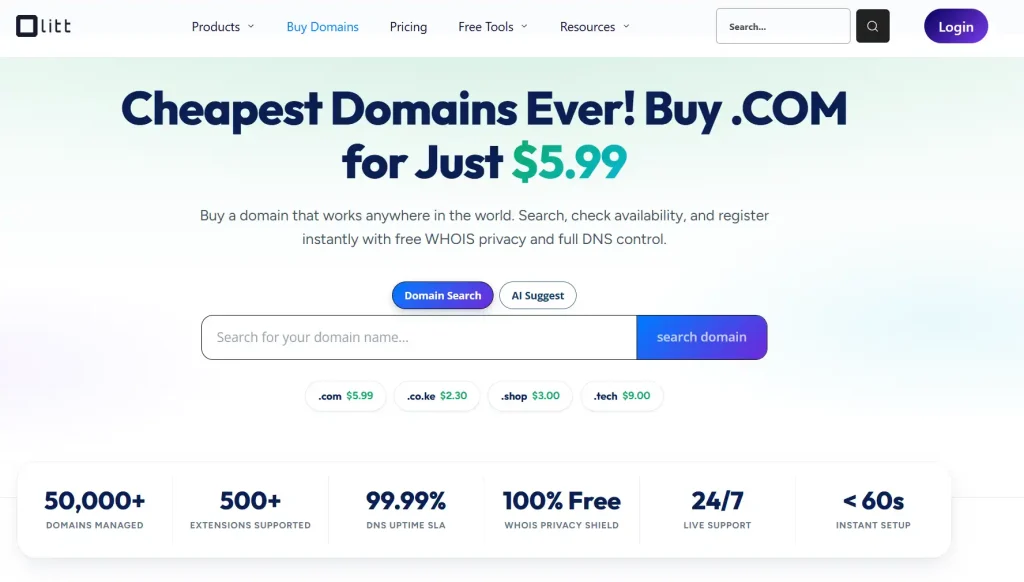
Once you have confirmed your ideal name is available, search and register it directly through Olitt’s domain page, with free WHOIS privacy protection included from day one.
Frequently Asked Questions
What is a KeNIC WHOIS domain search used for? It lets you check whether a .ke domain is registered, see its expiry date, and view registrar details before deciding to buy or contact the current owner.
Is WHOIS information public for all .ke domains? Not always. Domains with privacy protection enabled hide the owner’s personal contact details from public view.
How is a WHOIS search different from a domain availability checker? A WHOIS search shows detailed registration data, while an availability checker, like the one on Olitt, focuses on quickly confirming if a name is free to register.
Can I find out who owns a specific .co.ke domain? Yes, unless the owner has WHOIS privacy protection enabled, in which case only the registrar’s proxy information appears.
What happens if a domain’s WHOIS status shows Pending Delete? It means the domain was not renewed and is in the final stage before becoming publicly available again.