
When you have a lot on your plate, you can find yourself struggling to build a website for your construction business.
Maybe you’re juggling job sites, client calls, and deadlines—who has time for coding or hiring designers?
You need a simple way to showcase your projects, grab leads, and look professional online. That’s where the best AI construction website builders come in. They handle the heavy lifting with smart tech that creates sites fast.
This guide cuts through the noise. You’ll get straight talk on top options that fit your world—think easy portfolios for before-and-after photos, booking forms for estimates, and SEO to attract local clients.
We at Olitt understand this hustle firsthand. Our team built tools to make it easier for builders like you.
Stick around. You’ll learn:
- Why AI changes the game for your business.
- Detailed breakdowns of four standout picks.
- A quick comparison to pick your winner.
- Tips to launch without stress.
Let’s build something great for your construction company.
Why AI Website Builders Fit Construction Pros Like You
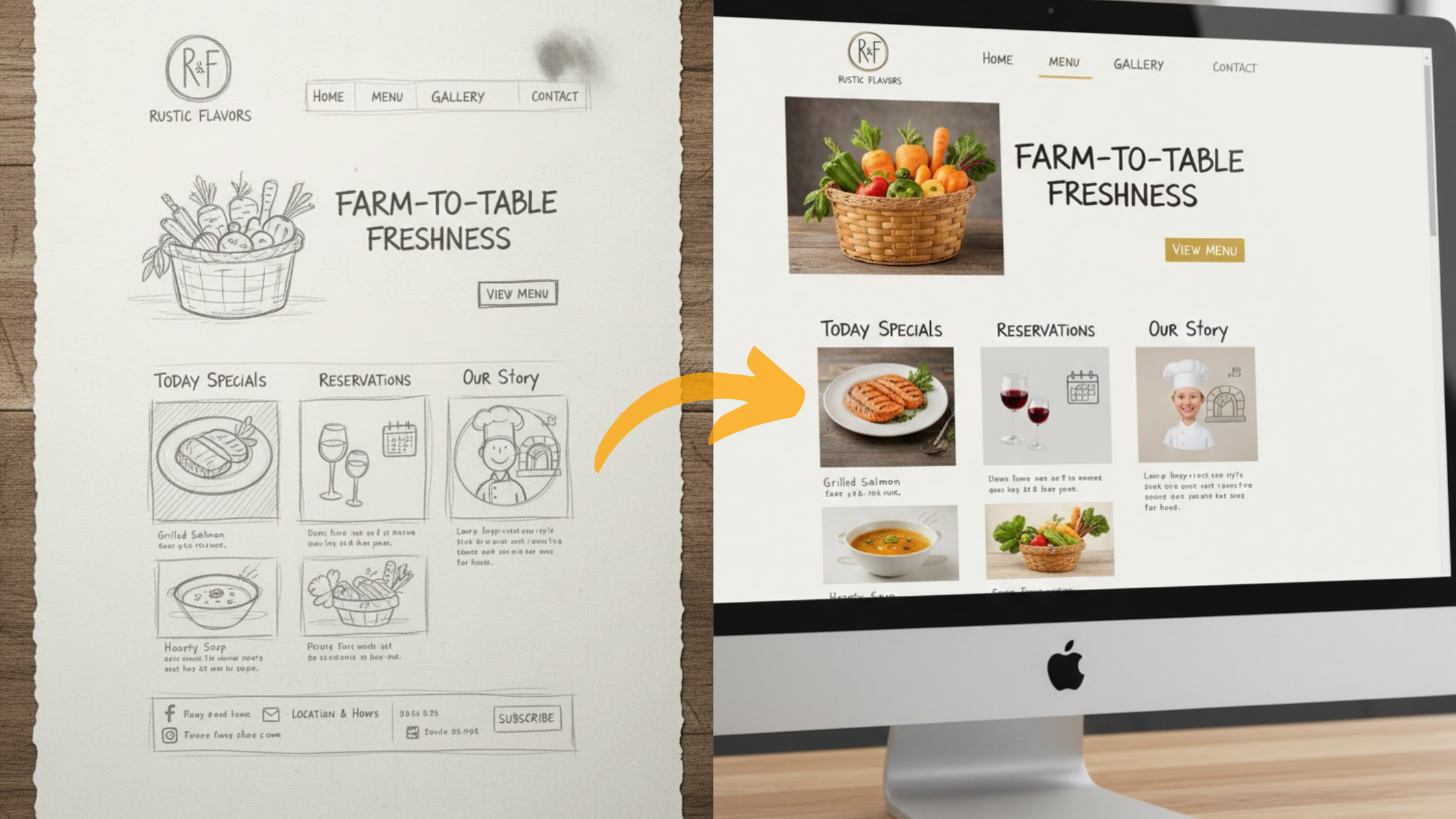
AI website builders are changing how businesses create websites.
Instead of spending days—or even weeks—designing a site, you can now type in a simple request.
For example, “I need a construction company website with a project gallery,” and the system builds it for you.
From layout to images to text, the heavy lifting is done in minutes.
This means no more starting from scratch or struggling with complicated design tools.
For construction companies, that’s valuable time saved—time you can spend bidding on new projects or managing job sites instead of worrying about web design.
By 2025, these AI tools have become even more advanced. They automatically make sites mobile-friendly, which matters because over 60% of people now browse the internet on their phones.
So, when potential clients check your portfolio or request a quote, your site looks clean and professional on any device.
Built-in SEO features also give you an edge. Your site can be optimized to show up in local searches, like “home renovation contractors near me” or “best local builders.”
This helps you attract more customers without paying for ads.
For construction businesses, certain features are especially useful. Image galleries let you highlight before-and-after shots of your projects.
Contact forms make it easy for prospects to request quotes instantly.
Some platforms even suggest industry-specific designs, so your site feels strong, reliable, and trustworthy—qualities every client looks for in a builder.
The best part? You don’t need professional web design skills to get professional results.
AI takes care of the design and technical side, so you can focus on what you do best—building. That’s the real advantage of AI website builders.
What to Look for in the Best AI Construction Website Builders
When choosing a website builder, the first thing to think about is how well it fits into your daily routine.
If you’re running a busy business, you don’t have time to wrestle with complicated tools.
Ease of use should be your top priority—especially if you’re not a web design expert.
Next, look at the builder’s smart features. Many modern platforms now include AI tools that can save you hours of work.
For example, some can automatically generate text tailored to your services, whether you’re a roofer, framer, or in another trade.
Others even create images that match your brand style, which means you don’t have to hunt down stock photos.
Price is another important factor. Most builders offer free plans, which are great if you’re just testing the waters.
But as your business grows, you’ll likely need to upgrade to a paid plan for more features like custom domains, extra storage, or advanced analytics.
Investing a little more can give your site the professional edge clients expect.
Integrations are also key. The right builder should connect smoothly with tools you already use.
Imagine linking your site to an online calendar so customers can book appointments without back-and-forth calls.
Or connecting Google Reviews directly to your homepage to show real client feedback—something that instantly builds trust.
Scalability matters too. Your website should be able to grow alongside your business.
What starts as a simple site for solo projects should be able to expand into a full platform for a larger crew, complete with service pages, photo galleries, and even payment options.
Finally, don’t overlook performance. Security and speed are critical. Studies show that 53% of visitors will leave a site if it takes more than three seconds to load.
On top of that, Google ranks fast-loading, secure websites higher in search results.
That means protecting your site with SSL certificates and choosing a builder with reliable hosting isn’t optional—it’s essential.
Top Picks Compared: The Best AI Construction Website Builders
You want options that deliver. We tested these four based on real construction needs.
Each shines in different ways. Read on for the details.
1) Wix

Wix tops the list for good reason. Its AI chats with you to build a site in minutes.
Tell it you’re a contractor. It creates pages with galleries for project photos and forms for leads.
Pros shine bright: Free start, drag-and-drop tweaks, and 24/7 help. Perfect if tech isn’t your thing.
Cons? Advanced custom code needs extra effort. But for basics, it’s spot on.
Pricing kicks off free. Upgrade to Business at $27/month for bookings and payments.
Ease? Super simple. A roofing pro can launch a site with before-after sliders fast.
For construction, add AI-optimized SEO to rank higher. Integrate calendars for easy scheduling.
Wix fits solos or small teams. Try it via Wix and see.
2) Squarespace

Squarespace brings style to your builds. Its AI, like Blueprint, crafts elegant sites from your answers.
Input “architecture firm portfolio.” It delivers visuals with clean galleries and testimonial spots.
Pros include stunning templates and unlimited storage. Great for high-res construction images.
Cons: No free plan forever—starts at $16/month. Learning curve for deep edits.
Business plan at $23/month adds analytics for tracking leads.
Non-tech users love it. An architect embeds 3D models without hassle.
SEO tools auto-optimize for local searches. Link scheduling apps for client meets.
It’s ideal for design-focused builders. Check Squarespace to start.
3) Webflow

Webflow steps up for custom needs. Its AI generates scalable sites with prompts like “commercial builder CMS.”
Build dynamic pages for ongoing projects. Add interactive maps or bid forms.
Pros: No-code flexibility, enterprise hosting, and animations for site tours.
Cons: Steeper start for beginners. Plans from $14/month.
Workspace at $19/month suits teams.
Ease grows with practice. A firm creates updateable project logs.
Integrate reviews and calendars seamlessly. AI boosts SEO for better visibility.
Scalers, this is you. Visit Webflow for more.
4) Solo AI

Solo AI keeps it simple and free. Mozilla-backed, it pulls from your info to make sites quick.
Describe your plumbing services. It builds with reviews and contact forms.
Pros: No cost, mobile-ready, and domain hosting included.
Cons: Basic templates—less for complex needs.
Pro upgrade at $9/month for extras.
Super easy for one-person shops. A freelancer adds Yelp links in minutes.
SEO basics help local finds. Embed calendars without fuss.
Starters, grab it at Solo AI.
5) Olitt AI

Olitt AI is designed with contractors, remodelers, and builders in mind.
Instead of giving you a generic website, it tailors everything to fit the construction industry.
With simple prompts like “local contractor portfolio”, Olitt can generate a complete site that highlights your projects, includes photo galleries, and even adds quote request forms.
This makes it easy to showcase your work and win new jobs in your local market.
What sets Olitt AI apart is its focus on local visibility. It doesn’t just build a site—it helps you get found.
The platform uses strong local SEO features, making sure your business shows up in searches like “home builders near me” or “kitchen remodelers in [your city].”
For contractors who rely on nearby clients, this is a huge advantage.
Olitt also keeps things simple. Many small construction businesses don’t have time to learn complicated web tools.
With Olitt, you can have a professional website with testimonials, galleries, and contact forms ready in less than 10 minutes.
Pros
- Affordable plans for small businesses
- Construction-focused templates designed for builders
- Strong local SEO tools to attract nearby customers
Cons
- Limited integrations compared to platforms like Wix or Webflow
- Not ideal for complex or large-scale websites
Pricing
- Free plan available
- Pro plan at $10/month (includes custom domains and analytics)
Ease of Use
Even if you’ve never built a website before, Olitt makes it easy.
A remodeler, for example, can set up a complete site—featuring client testimonials, project photos, and booking tools—in just minutes.
Olitt AI is built with contractors in mind. It helps you look professional, get found by local clients, and connect with them faster.
If you’re in construction and want a website that works as hard as you do, Olitt is worth trying.
Quick Comparison: Pick Your Best Fit
See how they stack up at a glance.
| Feature | Wix | Squarespace | Webflow | Solo AI | Olitt AI |
| AI Speed | Minutes | 5-10 mins | Prompt-based | Under 5 mins | Under 10 mins |
| Construction Templates | Galleries galore | Visual pros | Custom CMS | Basic portfolios | Local-focused |
| Starting Price | Free/$16/mo | $16/mo | $14/mo | Free | Free/$10/mo |
| SEO Tools | Strong auto | Good built-in | Advanced | Basic | Local-focused |
| Best For | Beginners | Designers | Growers | Solos | Local pros |
| Integrations | Bookings, SEO | Analytics, forms | APIs, reviews | Reviews, calendars | Calendars, reviews |
This table helps you decide fast.
How to Choose and Launch Yours
Assess Your Setup First
Before jumping into a website builder, think about your situation and goals.
- Working with a tight budget? A simple AI builder like Olitt AI can get you online quickly without draining your wallet. It’s built for small business owners and solo professionals who just need something clean and functional.
- Prefer a polished, flashy look? Tools like Squarespace come with sleek templates and creative features, though they usually cost a bit more.
- Planning for long-term growth? If you expect your business to scale and need advanced design freedom, Webflow is often the go-to choice. It’s used by startups and agencies that want flexibility and custom design options.
- Focused on local customers? Olitt AI is designed with local businesses in mind, making it easier to optimize your site for nearby leads.
Try Before You Commit
Most platforms let you test them out. Sign up for a trial, enter your details, and experiment with different layouts. This way, you’ll know if the builder feels right before making a decision.
Steps to Launch Your Website
- Sign up and provide prompts. AI builders like Olitt ask you for basic details—your business type, services, and location—then generate a tailored design.
- Upload photos and service details. High-quality visuals make a big difference. Websites with strong images get more engagement from visitors.
- Optimize your site for search engines (SEO). Add keywords related to your business so people can actually find you on Google. Studies show that 68% of online experiences begin with a search engine.
- Connect essential tools. This might include calendars for booking, payment gateways, or contact forms. Integrated tools improve customer experience and save you time.
- Publish and promote. Once live, share your site on social media, Google Business Profile, and anywhere your customers are likely to find you.
At Olitt, we understand that small business owners need something simple, affordable, and effective.
That’s why our AI website builder is designed to deliver professional results without the steep learning curve—especially for local pros who want to get found quickly and start growing.
FAQs
What’s the cheapest best AI construction website builder? Solo AI—it’s free forever.
Do they handle big photo galleries? Yes, all optimize images for fast loads.
How’s SEO for contractors? AI auto-adds tags; Wix boosts traffic by 15%.
Webflow for small firms? Absolutely, if you plan to scale.
2025 updates? Smarter prompts and integrations across the board.
All mobile-friendly? You bet—responsive designs standard.
Free vs. paid? Free for basics; paid unlocks domains and more.
Wrapping Up
Wix leads for most, but Solo AI wins on price. Pick what fits your flow.
Ready to go? Head to a trial and build. Future AI adds like VR tours are coming.
You got this—turn leads into jobs today.