Want a professional website without draining your wallet or learning to code? You’re not alone. In fact, nearly 43% of small business owners say cost is the number one barrier to building a website. But in 2025, that’s no longer a problem.
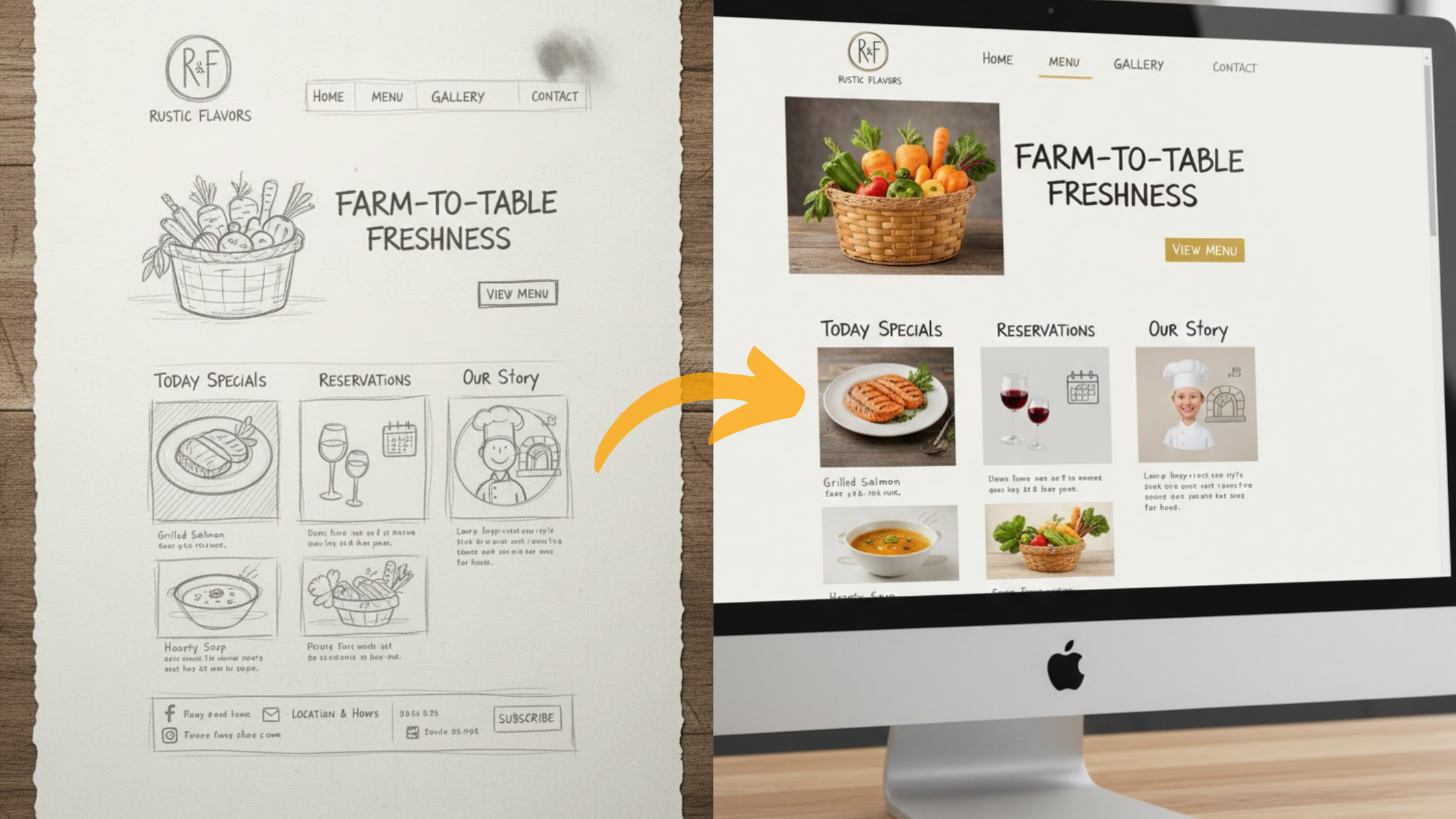
AI website builders have completely changed the game. These smart tools can design a site for you in minutes, just by asking a few simple questions about your business. From layouts to text to images, the heavy lifting is done automatically. All you need to do is tweak the details to match your brand.
The best part? You don’t have to spend hundreds every month.
We’ve rounded up the cheapest AI website builders under $15/month, tested for value, ease of use, and features. Starting a blog, launching a small shop, or building a business site, there’s an option here to get you online fast.
So, are you ready to launch your dream website without overspending? Let’s dive in.
Why Pick an AI Website Builder in 2025?
AI website builders are practical. Here are five solid reasons why choosing one in 2025 makes sense:
1) Save Money
Hiring a web designer or developer can easily run into hundreds or even thousands of dollars. With AI, you only pay a small monthly fee that often covers hosting, design, and updates.
You don’t need to budget for endless revisions or extra services; the platform takes care of it all in one package.
2) Save Time
Traditional website design can take weeks of back-and-forth. With AI, you describe your business and goals, and the tool instantly generates a complete website with text, layout, and images.
Instead of waiting, you can launch your site in a single afternoon, only adjusting the details you want through a simple drag-and-drop editor.
3) All-in-One Solution
AI website builders don’t just create the look of your site; they also manage the technical side. Hosting is already included, so you don’t need to shop around for a separate provider.
Security features like SSL certificates are built in, and the system handles updates in the background. This makes your site live quickly and keeps it running smoothly without extra effort from you.
4) Easy to Customize
Even though AI gives you a ready-to-use design, you’re not stuck with a generic look. You can adjust fonts, colors, and layouts in just a few clicks.
Adding features like a blog, contact form, or even an online store is straightforward, and the AI adapts to your edits. The result is a site that feels unique while still looking professional.
5) Risk-Free to Try
One of the biggest advantages is that most AI builders let you test the platform before you commit.
Free trials and starter plans give you the chance to build and preview your site without spending a cent. When you’re happy with how it looks, you can upgrade and publish it live.
Top Cheapest AI Website Builders in 2025
We ranked these platforms by price, AI power, features, and user feedback. Each option starts cheap and lets you scale as your business grows.
1) Olitt AI

Olitt AI is designed for startups, freelancers, and small businesses that want to launch fast with no upfront costs.
The free plan covers basics like templates, hosting, and SSL. Once you’re ready to grow, upgrading unlocks custom domains and ecommerce.
Olitt’s AI generates full text, images, and site structure based on your input. For example, type “online clothing store,” and it creates product pages, a blog, and a contact form instantly.
Key Features
?️AI text and layout generation
?️Free SSL and hosting
?️Ecommerce with product listings and checkout
?️MailChimp and Google Analytics integrations
Pricing
?️Free forever (basic features, Olitt subdomain)
?️Pro plan $9.99/month (custom domain + ecommerce)
Pros
?️Zero upfront cost: you can publish a live site for free
?️Extremely fast setup (sites in under 10 minutes)
?️Clean drag-and-drop customization for branding
?️SEO and analytics built in
Cons
?️Free plan uses an Olitt-branded domain
?️Limited advanced design templates compared to Wix or Squarespace
?️Some integrations require the paid tier
Best For: Freelancers, solopreneurs, and small shops that want a professional site at minimal cost.
? Launch with Olitt AI
2) Hostinger AI Website Builder

Hostinger is famous for affordable hosting, and its AI website builder adds another layer of value.
With just a few prompts, you get a responsive, mobile-ready design that works across devices. Unlike many free AI builders, Hostinger includes a free domain with annual plans.
Key Features
▪️AI blog writer and logo creator
▪️Heatmaps to track where visitors click
▪️Unlimited bandwidth on paid plans
▪️Drag-and-drop site customization
Pricing
▫️$2.99/month (annual)
▫️Includes free domain and SSL
Pros
▪️One of the lowest entry costs with strong value
▪️Includes AI tools for content and branding
▪️Hosting performance is stable and fast
▪️Unlimited editing, so you can keep improving your site
Cons
▫️Renewal pricing is higher (around $6–$9/month after year one)
▫️AI-generated text and layouts sometimes look generic
▫️Lacks deep ecommerce features compared to Olitt or GoDaddy
Best For: Bloggers, personal brands, or anyone who wants the cheapest way to get a site and domain.
3) Durable AI

Durable is more than a site builder. It’s marketed as an AI-powered business platform.
In addition to websites, Durable offers CRM tools, automated marketing, and even invoicing. For small businesses that want everything in one tool, it’s a strong choice.
Key Features
?️AI-written SEO-friendly copy
?️Built-in CRM for leads and customers
?️AI image generation (50 credits free)
?️Automated promotions and ad suggestions
Pricing
?️Starter plan: $12/month
?️No free plan, but 30-day money-back guarantee
Pros
?️Ideal for businesses that want sales + CRM in one place
?️Marketing and SEO tools included by default
?️AI-generated images save money on stock photos
?️Strong automation reduces manual work
Cons
▪️Higher price compared to ultra-cheap builders
▪️No permanent free plan, so you must commit to trial/test
▪️Templates are simpler than design-focused builders like Squarespace
Best For: Solopreneurs or small businesses who need more than just a site, especially if you want built-in CRM and invoicing.
4) Jimdo

Jimdo Dolphin is all about simplicity. Answer a few questions, and Dolphin creates a site personalized to your brand. It’s not as flashy as Wix or Squarespace, but for basic needs, it’s fast and beginner-friendly.
Key Features
?AI photo enhancer for cleaner visuals
?Mobile-first design approach
?Basic ecommerce features for selling products
?Suggestions for layout and style
Pricing
▫️Starts at $11/month
▫️Free trial available
Pros
?Very easy setup, great for non-tech users
?Mobile-friendly sites by default
?Solid choice for portfolios and small local businesses
?Low learning curve
Cons
▫️Not as customizable as Wix or Hostinger
▫️Ecommerce is very basic (not built for scaling stores)
▫️Limited third-party integrations
Best For: Personal sites, artists, portfolios, and small local shops that need a simple web presence.
5) IONOS AI Website Builder

IONOS is the cheapest way to get online, at least in the first year. Its intro price of just $1/month makes it ideal for testing a website without a big risk. The AI fills in text and layout, and you can make simple edits.
Key Features
▪️AI text optimizer
▪️Free domain and professional email
▪️Basic SEO features
▪️Straightforward editor
Pricing
▫️$1/month for the first year
▫️$10/month renewal
Pros
▪️Unbeatable intro pricing
▪️Free domain and email included
▪️Straightforward setup for beginners
Cons
▫️Renewal cost jumps significantly
▫️Design flexibility is limited
▫️Not as feature-rich as other platforms
Best For: Budget-conscious users who want to test having a professional website with minimal risk.
Olitt AI: Our Top Pick for Value
At Truehost, we know how tough it can be to launch a business on a tight budget. Every dollar counts, yet you still need a professional online presence to win customers. That’s exactly where Olitt AI shines.
Olitt gives you pro-level website tools without the heavy price tag. You can start for free, create a full website in minutes, and only pay when you’re ready to grow.
The platform isn’t just about building a site; it’s about setting you up for long-term success.
With Olitt, you can:
✔Launch instantly using AI-generated designs, text, and images.
✔Customize your site with drag-and-drop tools, no coding required.
✔Add ecommerce, blogs, or lead forms whenever you’re ready.
✔Scale seamlessly with our AI hosting for faster speeds and stronger performance as traffic grows.
What makes Olitt unique is its balance of affordability and growth potential.
You don’t outgrow the platform; your site can evolve from a simple landing page to a full online store without switching providers.
If you’re serious about growing online without draining your budget, Olitt AI is the smartest place to start.
How We Chose These Builders
We didn’t just pull names from a list. Our team at Truehost spent weeks testing over 20 AI website builders to see which ones actually deliver on their promises. We built sample sites, ran speed checks, and compared costs so you don’t have to.
Here’s what we looked at closely:
?Affordability:
Every builder we featured comes in under $15/month. That’s the sweet spot for small businesses, freelancers, and startups who need results without overspending.
?AI Quality:
We tested how fast the AI generates sites, and more importantly, how good the results are. Do the layouts look professional? Is the text useful or just filler?
These details matter when you’re trying to make a strong first impression online.
?Ease of Use:
Not everyone has a tech background. We prioritized builders that let complete beginners create a working site in minutes, not weeks. Drag-and-drop editing, simple AI prompts, and clear dashboards were big pluses.
?Support & Scalability:
A good website builder should grow with you. We checked which platforms offer strong customer support, hosting reliability, and the ability to scale from a personal blog to a full online store.
?User Feedback:
Real users shared their experiences through reviews, forums, and testimonials. We factored those insights in, cutting through the marketing fluff to highlight tools that consistently deliver value.
The result? A shortlist of cheap AI website builders that balance cost, power, and simplicity.
Tips to Get Started with an AI Website Builder
Once you’ve picked your builder, setting up is easier than you think. Here’s a simple roadmap to launch smoothly:
- Define Your Goal
Decide what kind of site you want: a personal blog, an online store, a portfolio, or a business website. Clear goals help the AI generate better results.
- Answer AI Prompts Honestly
The AI will ask questions about your business or project. The more accurate your answers, the more tailored your site will be.
- Review and Edit Content
AI-generated text is a starting point, not the finish line. Personalize the copy, refine the tone, and make sure it fits your brand.
- Add Branding
Upload your logo, choose your colors, and select fonts that reflect your style. These small touches make your site feel professional and unique.
- Launch and Track Performance
Go live, then use built-in analytics to track visitors, clicks, and conversions. This data shows what’s working and what needs improvement.
Conclusion
AI website builders in 2025 have changed the game. What used to take weeks of coding and big budgets can now be done in minutes with designs, text, and even SEO built in.
Freelancer, startup founder, or simply starting a passion project, these tools make it easy, fast, and affordable to get online and grow.
The key is choosing the right builder for your needs. Some focus on speed, others on advanced features, and a few strike the perfect balance of cost and power. Start small, test with free plans or trials, and upgrade only when your site begins to attract traffic.
At the end of the day, your website is your digital home. AI makes it easier than ever to build one that looks professional, loads quickly, and helps you stand out. The sooner you launch, the sooner you start growing.