What’s the first thing people do when they discover a new artist? They search online. In fact, over 75% of fans and clients say they look up a creative’s website before deciding to work with them or buy their art.
That means your portfolio isn’t just a gallery, it’s your stage, your story, and sometimes even your first impression.
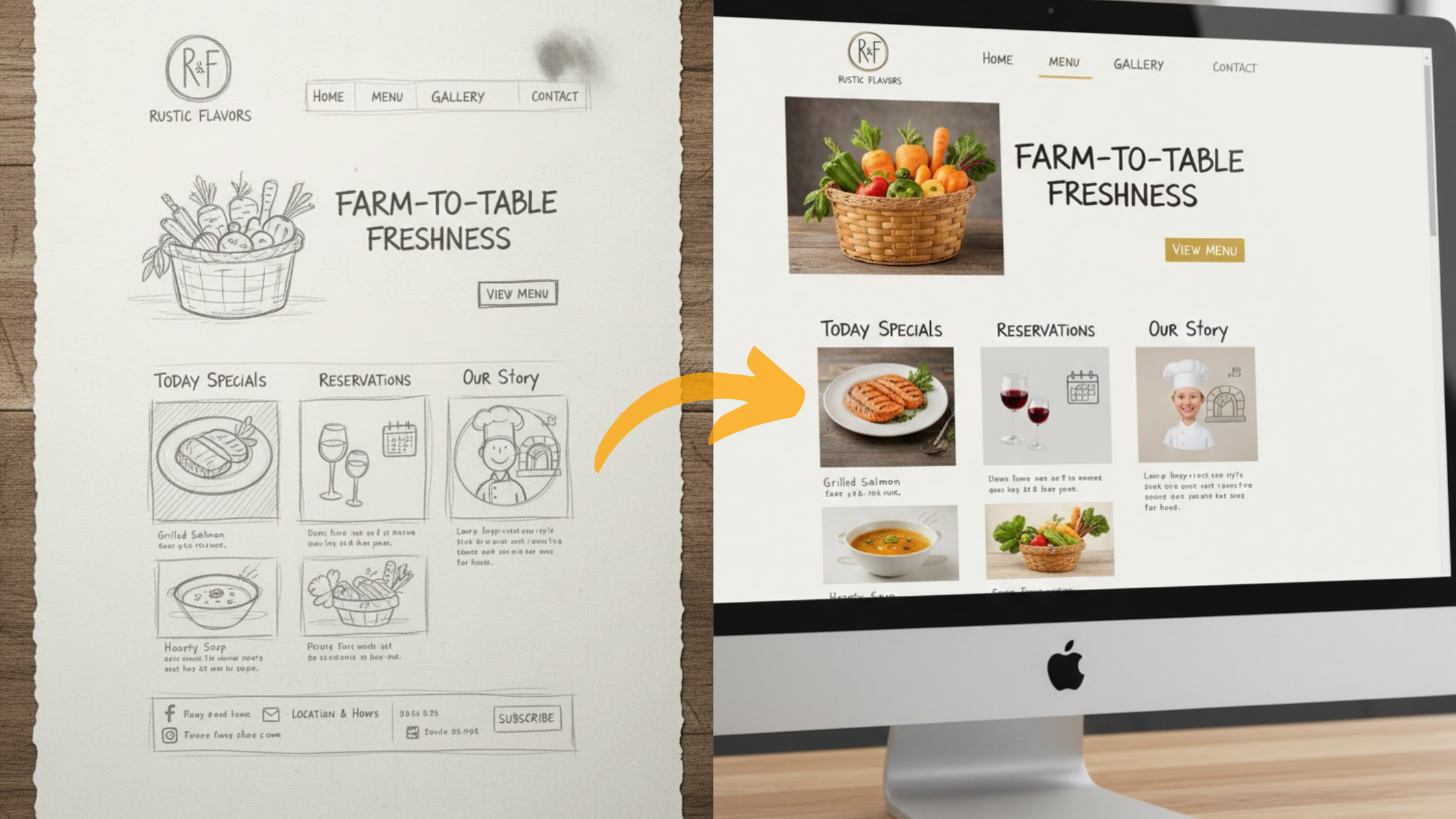
The good news? Creating a professional artist website in 2025 is easier than ever. Thanks to AI website builders like Olitt AI, you no longer need coding chops, design expertise, or weeks of trial and error.
In just a few minutes, you can have a polished, mobile-friendly site that not only showcases your work but also helps you grow an audience, land gigs, and sell your art directly.
This guide will walk you step by step through how to create an artist website that feels true to your style, without the overwhelm.
Why You Need an Artist Website
Your artwork shouldn’t be hidden in a folder or scattered across social media posts. It deserves a permanent, professional space online. That’s exactly what an artist’s website gives you: a personal digital gallery where your art is displayed the way you want it to be seen.
A website is more than just a showcase. It’s a tool that helps you stand out, connect with people who love your work, and even grow your career. Here’s why it matters:
?️Control your brand
On social media, algorithms and layouts dictate how your art appears. With your own website, you’re in charge. You choose the design, colors, and structure; everything reflects your personal style and vision.
?️Reach a global audience
An artist’s website breaks down location barriers. Instead of relying on local shows or word of mouth, your work is discoverable worldwide.
Collectors in another country, curators in another city, or fans who stumble upon your gallery online, they can all access your art instantly.
?️Sell directly
When you host your art shop on your own site, you don’t need to depend on third-party platforms that take commissions or charge hidden fees.
You keep more of your earnings and control how you price and present your pieces, whether it’s prints, originals, or custom commissions.
?️Build trust and credibility
First impressions matter. A clean, polished website shows that you take your work seriously.
Galleries, buyers, and collaborators are more likely to reach out when they see that you’ve invested in presenting your art professionally.
Benefits of Using AI for Your Artist Website
Creating a professional artist website can feel overwhelming. AI tools like Olitt AI make it simple, handling the technical work so you can focus on what matters most: your art. Here’s why using AI is a real game-changer for artists:
1) Fast setup
Instead of spending weeks designing and coding, AI can get your site live in just a few hours. You provide your content, and the AI organizes it into a polished, functional website.
2) No coding required
Forget HTML, CSS, or complicated software. AI takes care of layout, design, and structure automatically. Even if you’ve never built a site before, you’ll have a professional-looking portfolio.
3) Custom designs that match your style
AI tools let you choose templates, colors, and layouts that reflect your unique artistic voice. Your website can be as bold, minimalist, or vibrant as your artwork.
4) Affordable solution
Hiring a web developer can be costly, especially for small or emerging artists. AI platforms provide professional websites at a fraction of the price, saving you money while still giving you high-quality results.
Step-by-Step Guide to Creating Your Artist Website
Follow these steps to build a professional artist website with AI in 2025. Each step is simple, and Olitt AI makes it even easier.
1) Pick a Clear Goal for Your Site
Before you even open a website builder, take a step back and ask yourself: Why am I creating this site?
Knowing your goal early on will save you time, help you make better design choices, and ensure your site serves its purpose effectively. Every element, from pages and menus to images and calls-to-action, should support this goal.
Why this matters
▪️Focus: A clear goal keeps your site from becoming cluttered. You don’t need dozens of unnecessary pages or features if they don’t align with your purpose.
▪️Audience clarity: When visitors land on your site, they immediately understand who you are and what you offer.
▪️Better results: Whether you’re trying to sell prints, attract galleries, or take commissions, a goal-driven site is more likely to get the results you want.
Examples of Clear Goals
▫️Showcase your work and attract gallery invites
If your focus is getting recognized by galleries or curators, emphasize a polished portfolio, artist statement, and press mentions. Make it easy for professionals to see your best work and contact you.
▫️Sell limited prints or original artwork
If you want to sell art online, your site should include a clear shop or store section, pricing, and easy checkout options. Focus on high-quality images, product descriptions, and smooth navigation.
▫️Highlight commissions and make booking simple
If your main goal is taking commissions, include a dedicated page or form where potential clients can submit requests, along with details like budget, timeline, and project requirements.
2) Create the Site with Olitt AI (Fast Path)
Once you have a clear goal for your site, it’s time to bring it to life. Olitt AI makes building your artist website fast and simple, even if you’ve never designed a site before.
Step-by-Step Guide
- Go to the Olitt AI builder

Open Olitt and choose Start with AI. This will launch the AI-powered website setup, designed to create a professional-looking site in minutes.
- Provide a few details about your art

The AI will ask you short, simple questions about:
- Your art style (abstract, realistic, digital, etc.)
- The type of work you want to showcase (paintings, sculptures, prints, etc.)
- What you sell or offer (prints, originals, commissions)
- Using your answers
Olitt AI generates a customized site structure, content suggestions, and layouts that match your artistic identity.
- Pick a template and publish
Browse the AI’s suggested templates and select one that relates to your style. Click Publish, and your site will go live immediately.
Don’t worry, you can always edit images, text, and layout later to fine-tune the design.
Why Olitt AI Works for Artists
▪️Fast setup: Your website can be live in a few hours, not weeks.
▪️No coding required: The AI handles design, structure, and navigation automatically.
▪️Affordable: Olitt provides a professional website without the high costs of hiring a developer.
▪️Flexible: You can update your site anytime, add new works, change colors, or tweak layouts
3) Structure Your Artist Site (Pages to Include)
A well-organized website keeps visitors engaged and makes it easy for them to understand your work. Short, scannable pages are key; long blocks of text can overwhelm. Below is a recommended structure for an artist’s site, along with what to include on each page.
?Home
Your homepage should instantly capture attention. Use a striking hero image, ideally your strongest piece, paired with a short tagline that introduces who you are.
Add one or two of your latest or featured works to draw visitors in right away. Keep the layout clean and uncluttered because first impressions set the tone.
?Portfolio / Gallery
This is the heart of your site. Showcase high-quality images of your work with clear captions in the format Title, Year, Medium. Organize pieces by series, medium, or theme so visitors can easily explore.
If your collection is large, consider a “View More” option to keep the page sleek while still offering depth.
?About
Use this page to introduce yourself. Write a short bio (2–3 sentences) explaining who you are and what you create.
Add a brief artist statement that shares your inspiration or process. A professional headshot makes the page more personal and approachable.
?Shop / Commissions
If you sell art or accept commissions, keep it simple and transparent. Provide clear pricing or instructions for commissions, and include a contact form for custom requests.
Be upfront about shipping, materials, or any important terms so buyers feel confident. The easier the process feels, the more likely someone will purchase.
?News / Exhibitions
Show your growth and activity here. Highlight upcoming shows, exhibitions, or events, and add press mentions, awards, or collaborations.
If you enjoy writing, a blog with updates, behind-the-scenes insights, or thoughts on your work can make your site more dynamic and encourage repeat visits.
?Contact
Make it effortless for people to connect with you. Share your email, booking link, or a quick contact form.
If social media is part of your art presence, add those handles too. Keep this page minimal; the goal is fast, straightforward communication.
4) Design Tips for Artists
Your website’s design should highlight your artwork, not compete with it. Simple, thoughtful design keeps visitors focused on your pieces.
?️Keep it minimal: Avoid unnecessary graphics, flashy animations, or heavy backgrounds. Let your artwork take center stage.
?️Use large, high-quality images: Showcase the details of your pieces, but compress images to 150–300 KB to ensure your site loads quickly.
?️Limit fonts: Stick to 1–2 font families for a clean, professional look. Too many fonts distract from your work.
?️Create visual rhythm: Use consistent margins, spacing, and grid-aligned images so pages are easy to read and scan.
?️Add white space: Let your images “breathe.” Adequate spacing emphasizes each piece and improves focus.
5) Write Captions & an Artist Bio That Work
Captions and bio content help visitors understand your work and context quickly.
Captions
▫️Keep them concise: Title — Year — Medium
▫️Example: “Moon Garden — 2024 — oil on board”
▫️Add 1–2 sentences if needed for series or special techniques.
Artist Bio
▫️2–3 sentences: Who you are and what you create.
▫️Example: “I am a Nairobi-based painter focusing on abstract landscapes. My work explores color, texture, and emotion through oil on canvas.”
Artist Statement
▫️1 short paragraph describing your process, inspiration, or intent.
▫️Example: “My paintings reflect the tension between urban life and natural landscapes. I use bold strokes and vibrant colors to capture fleeting moments of stillness.”
6) Make a Portfolio Page That Gets Noticed
Your portfolio is your most important page. It should impress immediately.
?️Curate carefully: Showcase 12–20 of your best pieces, not everything. Quality over quantity.
?️Order strategically: Start with your strongest works to grab attention.
?️Provide context: Add a single sentence for series or notable projects, if relevant.
?️Test mobile responsiveness: Ensure images scale and remain clear on phones and tablets.
7) Add an Easy Payment or Commission Flow
If you want to sell or accept commissions directly through your site, make the process simple and clear.
?️Selling prints: Use Olitt’s built-in store or add a Buy button for each item. Include pricing, available sizes, and shipping info.
?️Taking commissions: Add a commission form asking for budget, timeline, project type, and any reference material.
?️Provide basics: Include shipping policies, return info, and licensing rights on product or commission pages. Transparency builds trust.
8) SEO & Sharing
Optimizing your site for search engines and social media ensures your work reaches more people. Even small steps make a big difference.
Page Titles
▫️Keep titles clear and concise, e.g., Your Name — Artist — City.
▫️Titles appear in search results and browser tabs, so make them descriptive and professional.
Alt Text
▫️Add alt text for every image.
▫️Describe each piece in a few words: “Abstract landscape painting, oil on canvas, 2024”.
▫️Alt text improves accessibility for visitors using screen readers and helps search engines understand your images.
Clean URLs (Slugs)
▪️Use simple, readable URLs for each page, e.g., /portfolio, /prints, /contact.
▪️Avoid long or complex links; they’re easier to share and look professional.
Social Sharing
◾Add Open Graph (OG) images for better previews when sharing on social media.
◾Choose images that represent your style and fit standard sizes (square or landscape).
◾OG images make your links more clickable on platforms like Instagram, Facebook, and LinkedIn.
9) Maintenance Checklist (Monthly)
Keeping your site updated shows professionalism and keeps visitors engaged. A little effort each month goes a long way.
Monthly Maintenance Tasks
◽Update featured images: Swap old pieces for new work to keep your homepage fresh.
◽Test contact forms: Ensure email and booking forms are working correctly.
◽Back up your site: Save copies of images, captions, pages, and any content you’ve added.
◽Add new content: Post an exhibition update, a blog post, or highlight new artwork every 1–3 months.
Tips to Make Your Artist Website Stand Out
A great website grabs attention. Use these tips to make yours unforgettable:
✔Showcase your best work: Highlight your top pieces on the homepage.
✔Keep it simple: Avoid clutter to let your art shine.
✔Update regularly: Add new work to keep visitors coming back.
✔Use social proof: Share testimonials from buyers or galleries.
Common Mistakes to Avoid
Don’t let these pitfalls dim your website’s impact:
❌Overloading with content: Too many images or text can overwhelm visitors.
❌Ignoring mobile users: Ensure your site works on phones.
❌Skipping SEO: Without it, your site may stay hidden.
❌Forgetting updates: Stale content turns visitors away.
Conclusion
Creating an artist website with AI in 2025 is simple and powerful. With Olitt AI, you can showcase your art, connect with fans, and even sell your work, all without stress.
Follow these steps, avoid common mistakes, and let your creativity shine online.