If you’ve been using AI lately, the question “How do prompts work in an AI website builder?” might have crossed your mind.
You definitely want to give the AI the best possible directions to generate a great website for you.
And yes, that’s how it works.
You feed an AI with a great prompt, and it pays you back with a great answer, and in this case, a great website.
So now, you want to be smart with your AI website builder prompts to get the best websites you can possibly get.
In this guide, we’ll demystify how do prompts work in an AI website builder, breaking it down into bite-sized pieces so you can wield this tech like a pro.
You’ll walk away knowing exactly how to harness it for your biz and site.
We’ll cover:
- the basics of AI prompts
- the details that work well for an AI website
- hands-on steps with Olitt AI
- pro tips to sidestep snafus
By the end, you’ll be itching to launch your own site, so let’s get this rolling already.
What Are AI Prompts?
Picture chatting with a super-smart barista who whips up your perfect latte just from a quick “Make it strong, oat milk, extra foam.”
That’s prompts in a nutshell, your specific words that steer an AI’s brain to create something made just for you.

With generative AI, prompts are those natural language instructions (phrase, sentence, or question) you feed into tools like ChatGPT or, yep, AI website builders.
They’re simply descriptive sentences or questions that tell the AI exactly what you need.
In short, prompts are how you talk to AI—and how AI understands you.
Two Main Styles of AI Website Builders Prompts
Most AI website builders use one of two main styles of prompts.
Understanding how they work will help you choose what’s right for you.
1. The Question-and-Answer Style
This one feels like a friendly interview. The AI asks you questions about your business, such as:
- “What’s your brand’s tone—fun and quirky or sleek and professional?”
- “Tell me about your top services.”

You answer in your own words, and the AI weaves your responses into a custom site.
The result is a website that actually sounds like you.
It captures your brand’s voice, tone, and details you might have missed otherwise.
2. The One-Shot Prompt Style
This method is faster but a bit riskier. You give the AI everything in one go, like:
“Create a site for my yoga studio with calming blues, class schedules, and a booking form.”
It’s quick and convenient—but if you forget to mention something important (like mobile responsiveness or your eco-friendly theme), it might be overlooked.
Think of it as speed-dating for your website—exciting, but easy to skip over details.
The Mechanics: How Do Prompts Work in an AI Website Builder?
So, how do prompts really work inside an AI website builder?
Think of it as a friendly chat between you and the AI.
You bring the ideas; the AI brings the tech magic—equal parts wizardry and engineering.
Step 1: You Give the Prompt
Everything starts with you telling the AI what you want.
You might type a few sentences, answer guided questions, or even speak your ideas out loud.

Whichever way you go, clarity is key.
Think of it like briefing a star employee—you give direction, and the AI runs with it.
Step 2: The AI Reads Between the Lines
Now the tech magic kicks in.
Using something called Natural Language Processing (NLP) it breaks down your words, finds keywords like “e-commerce” or “portfolio,” and starts connecting the dots.
NLP basically means the AI understands human talk.
Then Machine Learning (ML) takes over.
The system has been trained on millions of real websites, so it knows what fits where.
For example, if you said “coffee shop,” it might think:
“Alright, earthy colors, cozy fonts, maybe a menu layout and a reservation widget.”
No two sites come out exactly the same, because the AI uses context to make your website feel unique.
Step 3: It Starts Building
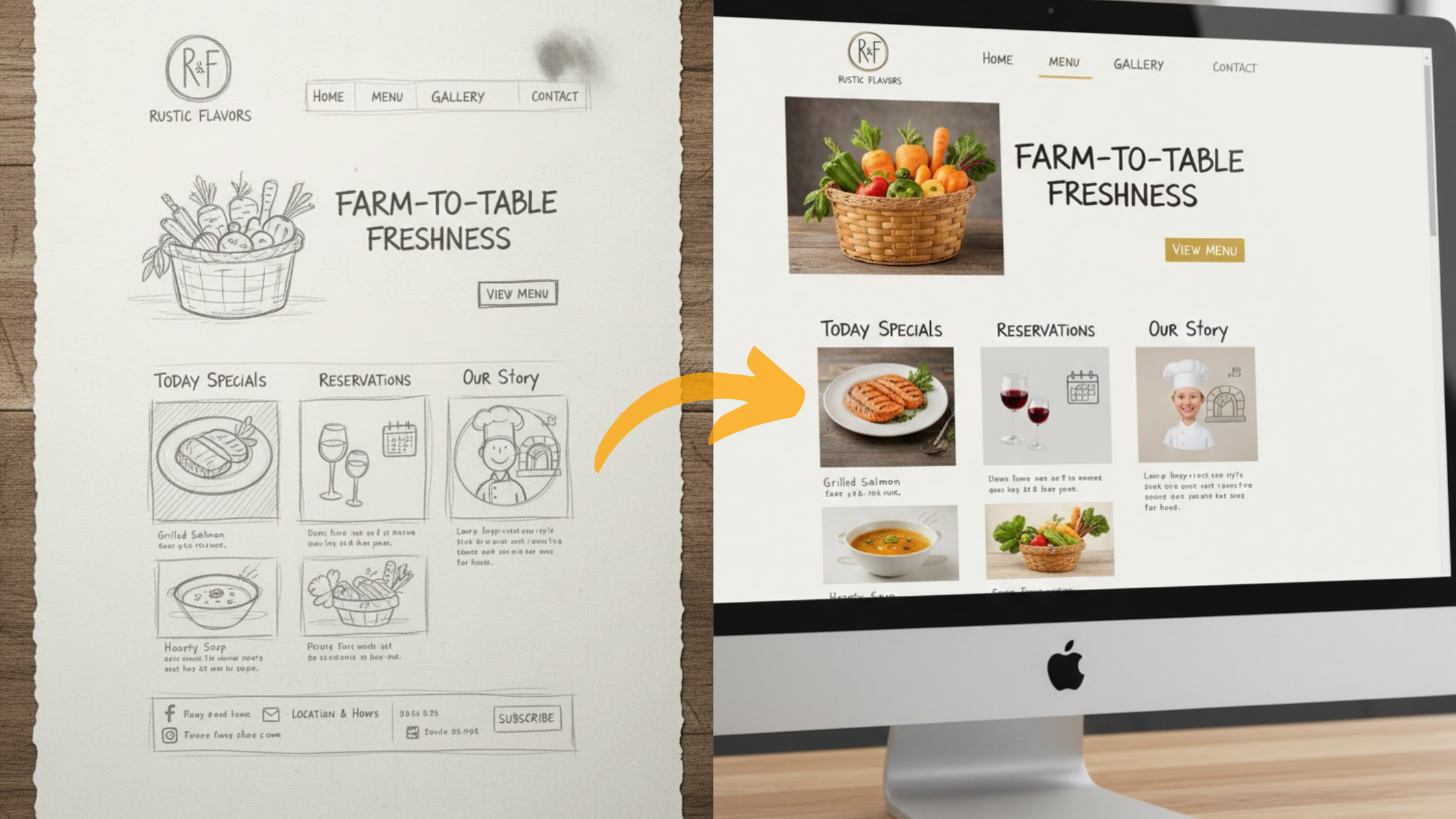
Next comes the generation phase, where ideas turn into visuals.
The AI blends what it understood from your prompt with templates, images, and design rules to produce your first website draft.
You might see:
- A ready-made wireframe layout
- Auto-written headlines
- Placeholder photos
- And even some background code you don’t have to touch
Some builders even use AI image generation (like diffusion models) to create custom visuals instantly.
No more digging through pages of boring stock photos!
Step 4: You Refine and Repeat
Once your preview pops up, it’s your turn again.
Not feeling that footer? Just say so. Type something like:
“Add a newsletter signup section in green.”
The AI updates it right away.
This back-and-forth continues until you’re happy with the result.
It’s basically collaborative editing with a tireless digital co-worker.
If you were to draw it, it’d look something like this:
Your words → AI’s brain (NLP + ML) → Custom site → Preview → Tweak → Launch.
Simple, right?
How Do Prompts Work with Olitt AI
Olitt AI uses a guided Q&A flow that shows exactly how prompts turn into a website.

It’s fast, simple, and built for busy creators who want something that actually feels like their brand.
Why Olitt’s approach works
Instead of dumping you in a blank editor, Olitt asks layered questions about tone, goals, and little quirks.
That way the AI builds a richer prompt behind the scenes.
You don’t forget the important bits — the AI does the remembering.
Quick walkthrough
Follow this and you’ll have a working site in minutes.
1. Plan your vision
- Jot the basics: who you serve, the pages you need (home, about, services), and must-haves (contact form? blog?).
- This primes your answers/prompts and speeds everything up.
2. Sign up
- Go to olitt.com and make a free account.
3. Launch the AI builder
- From the dashboard click Create with AI.
4. Answer the prompt questions
- The AI asks things like “What’s your business name and tagline?” and “Describe your ideal client.”
- Be honest and specific, for example: “I’m a wellness coach blending yoga with corporate tools for stressed execs.”
- The AI captures tone (empathetic, energetic) and details for spot-on copy.
5. Review and create
- You’ll see a summary page showing the inputs it captured. Happy with it? Click Create My Website.
- Choose a plan, add billing, and the AI gets to work.
6. Preview and polish

- In minutes you’ll have a live preview. Scan the pages: does the homepage hook with your bio? Is the services page clear?
- Want changes? Use the editor’s AI chat and try more prompts. It’s easy to iterate.
Best Practices and Common Pitfalls
Think of mastering prompts like tuning a guitar — a few small tweaks can turn noise into perfect harmony.
The Do’s for Perfect Prompts
1. Be Specific
When answering questions, paint a clear picture. Instead of saying “Food site,” try something like:
“A vibrant Mexican restaurant website with bold reds, sizzling food photos, and a Spanish-English language toggle.”
The more vivid your description, the better your results.
2. Add Layers of Detail
Don’t just talk about what the site should look like, include its tone, goal, and tech needs.
For example: “A witty, modern design focused on lead generation, with Stripe integration for online payments.”
3. Experiment and Refine
Once your site is generated, keep chatting with the builder. Try prompts like:
“Swap the blue color scheme for warm neutrals”
or
“Add H2 headers around key benefits for SEO.”
A little iteration goes a long way.
4. Test Like a Pro
Preview your website on both mobile and desktop.
Even better, ask a friend for a quick gut-check. Sometimes a fresh pair of eyes catches what you miss.
The Don’ts to Avoid
1. Don’t Be Vague
Short, unclear answers lead to bland websites. Olitt’s questions are designed to draw out detail, so take advantage of that.
2. Don’t Overload with Info
You want detail, not data dumps. Keep your responses focused and easy to read—use bullet points for services or key features if needed.
3. Don’t Forget the Human Touch
AI can draft the structure and copy, but your voice makes it feel alive.
Personalize the tone, add warmth, and make it sound like you.
Conclusion
Since now you know how prompts work, you’ve got the blueprint to build a site that works as hard as you do.
Ditch the guesswork and unlock AI’s power today.
But how do prompts work in an AI website builder for your biz?
To find out, start your free Olitt trial now and answer those questions.
Your dream site awaits.