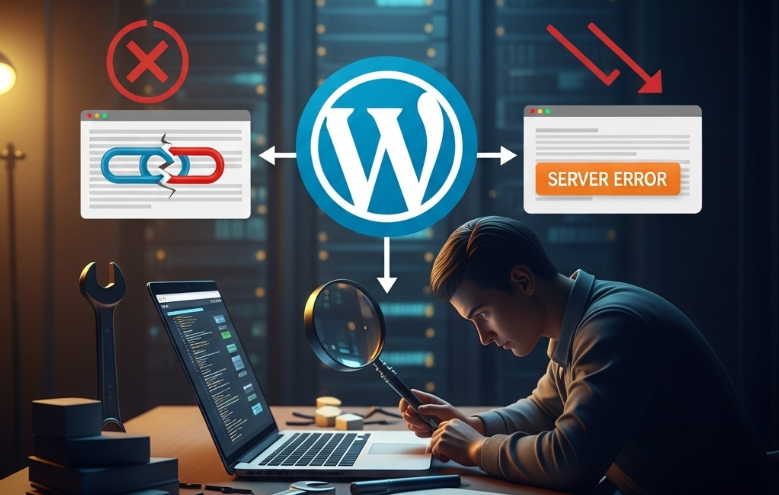
Running a WordPress site means every tweak you plan has to be tested so it doesn’t wreck what you’ve already built.
New plug-ins or theme updates, while tempting, can sometimes clash and turn your pages sluggish or even blank.
That risk is exactly why wise webmasters run each change in a safe spot before they present it to the world.
The easiest way to do that is through WordPress hosting which includes a staging area.
Think of the staging area as a spare room complete snapshot of your site where you can play with code, drag in fresh plugins, or switch themes and still leave the front door to the real site locked.
Olitt.com, for example, bundles this feature with its plans, giving you a quick and hassle-free testing ground.
What exactly is a WordPress staging environment?

A WordPress staging environment is simply a hidden twin of your live site.
It mirrors every post, every setting, and every widget, yet remains out of reach for regular visitors.
Because of that separation, you can experiment freely, confident that your main site stays up and unchanged until you say otherwise.
A staging environment lets you catch mistakes before they ever reach your visitors.
Say a new plugin crashes the layout; you spot the issue on the private clone, roll it back, and nobody outside your team sees a thing.
That quiet layer of testing keeps your live site secure and humming along.
Quality WordPress hosts bundle this tool with their plans, giving you one-click copies and easy sync buttons.
Olitt, for instance, furnishes that feature so you can experiment worry-free and keep your business website looking professional.
Why Use a Staging Environment for WordPress Hosting?

Every WordPress owner-lone blogger, busy entrepreneur, or small agency benefits from having a safe playground for updates.
Push tweaks to the staging site first, confirm the results, then send the changes to the public view, and you drastically reduce error spillover.
Your visitors never encounter broken links or strange layouts, and that simple fact builds trust.
Plus, it lets you play with fresh designs, plugins, or code snippets without the usual anxiety of an instant crash.
Should anything fail, you address it behind the scenes instead of scrambling to fix a broken homepage.
Staging sites are also handy whenever you need to update WordPress, a theme, or a plugin.
Updates can sometimes clash with existing code, yet testing them on a staging copy lets you spot trouble early.
Olitt WordPress hosting bundles this feature, making the whole routine quick and secure.
Key Features of WordPress Hosting with Staging
WordPress hosting that includes staging usually offers a handful of practical tools.
First, you spin up a staging site with a single click. That speed saves you time and keeps testing straightforward.
Second, the copy remains connected to your live site. When you’re happy with the changes, you push them back in one step. That link makes sure everything stays in sync.
Third, the staging area is locked down. Only you and your crew can log in, so search engines and casual visitors never see half-finished work.
Finally, reliable hosts like Olitts stand by you with quick support for staging tasks.
Their fast, stable servers mean your test site runs smoothly, just like your main site.
How Olitt WordPress Hosting Makes Testing Safe and Simple
Olitt WordPress hosting includes a one-click staging tool that turns testing into a trouble-free task.
With this feature, you clone your live site in seconds and then play with updates, plugins, or design tweaks, all without disturbing the public version.
Because the staging copy sits in its own secure space, casual visitors never stumble onto unfinished work.
Building that clone through the Olitt dashboard takes only a few clicks and zero jargon, so even beginners can do it.
After the copy appears, you sign in with the same WordPress username and password you already use.
That familiar login means testing feels natural, and you can verify features as they will work on the live site.
Ollitt’s tough security wraps around every staging area, letting only approved users in and blocking search engines from crawling the test environment.
By keeping bots and prying eyes out, the company also dodges common SEO headaches tied to duplicate content.
In short, their staging setup strips away the risk, letting you experiment with confidence.
Once you finish testing and feel good about the tweaks, Olitt lets you send those changes from the staging area to the live site with a single click.
That one-button push cuts down on fuss and slashes the odds of small but costly mistakes during the swap.
On top of that, Olitt packs solid speed and security into both the live and staging sites.
Their servers respond quickly and stay up, so even heavy plugins or brand-new themes run without hiccups while you poke around the test space.
If something puzzles you, their friendly support team is ready to answer questions or jump in when an issue crops up.
With Olitt WordPress hosting and its built-in staging area, you can update safely and without second-guessing yourself.
Your public site stays safe from downtime or unexpected glitches, and you’ll breathe easier knowing every change has been double-checked before going live. Explore all these features at Olitt.com.
Best Practices for Using a WordPress Staging Environment
To get the most from your staging environment, follow these best practices. Always refresh the clone so it matches your live site, then run tests.
Doing so keeps results accurate and helps you catch hidden bugs before users do.
Always try out any change on the staging site before it goes live. Look over plugins, themes, and fresh snippets for glitches or clashes.
Invite your team or clients to review the staging work so you can fix small issues before the world sees them.
And don’t forget regular backups of both the live site and the staging copy. Those snapshots guard your data if something unexpected happens.
By following this simple routine and choosing WordPress hosting that includes Olitt staging, you can test with peace of mind and keep your site steady.
Conclusion
Testing changes first is a must for keeping your WordPress site safe and reliable.
Hosting that offers a built-in staging environment lets you explore new ideas without fear.
Olitts WordPress hosting makes it easy to spin up and manage that staging space. With Olitts, you can test thoroughly and shield your live site from avoidable bugs.
To safeguard your project and streamline your workflow, visit Olitts.com and discover staging-ready WordPress plans today.
A quality staging environment is the smartest way to experiment safely and keep your website strong and trustworthy.